Picture quality
Made for Bigger Screens
ULTRA HD
See what your television can really do. How sharp the picture looks comes down to your screen, player app, broadband and what you choose to watch.
See Which Plan Fits

Television through your internet connection
Looking for a more flexible way to watch television in the UK? British IPTV gives you another way to access television through an internet connection, with support for a range of popular streaming devices.
Explore 4K and 8K streaming options, try the service with a free IPTV trial and choose a subscription that suits your viewing preferences. Whether you use a Firestick, Android TV, Smart TV or MAG device, getting started is straightforward.
Picture quality
ULTRA HD
See what your television can really do. How sharp the picture looks comes down to your screen, player app, broadband and what you choose to watch.
See Which Plan FitsTry first
FREE
Run it on your own Firestick, Android TV, Smart TV or MAG device, then take your time deciding whether it is right for you.
Request a Trial on WhatsApp
Free trial
Choosing an IPTV service is easier when you can experience it before committing to a longer subscription. With a free IPTV trial, you can explore the service, check how it works on your device and decide whether it meets your expectations.
Use the trial to:
Watch your way
Your television habits should not be limited to one screen or a fixed viewing routine. IPTV offers a way to watch television through an internet connection, giving viewers another option alongside traditional broadcasting services.
British IPTV supports a range of popular devices and offers different subscription options for viewers with different requirements. You can explore available streaming quality, check compatibility and use supported Xtream Codes login details to configure a compatible IPTV player.
From choosing a subscription to setting up your preferred device, the important details are available to help you make an informed decision.
Service features
An IPTV subscription should be easy to understand before you pay for it. Here are the main features to consider when exploring the British IPTV service.
Explore supported 4K and 8K streaming options for compatible screens. Actual resolution depends on the available content, your device, application and internet connection.
Try the service before selecting a subscription. The trial gives you an opportunity to explore its features and check device compatibility.
Use supported Firestick, Android TV, Smart TV and MAG devices to access the service.
Configure a compatible IPTV player using Xtream Codes login credentials where supported. This makes account setup more straightforward for users familiar with this login method.
Compare available subscription durations and choose an option based on how you intend to use the service.
Follow the relevant installation instructions to configure your compatible device and get started.
Subscription plans
Not every viewer needs the same subscription. Some prefer trying a service before committing, while others want a longer subscription for regular viewing.
Explore the available British IPTV subscription options and compare their duration, supported features and pricing before making a decision.
To try
£14.99
£14.99/month
Save 33%
£29.99
£10.00/month
Save 44%
£49.99
£8.33/month
Best value
The cheapest price per month
£79.99
£6.67/month
Check the individual package details for subscription duration, connection limits, supported features and applicable terms.
Ask About Plans on WhatsAppStreaming quality
The quality of your television picture can make a noticeable difference to your viewing experience. That's why streaming resolution is worth considering when comparing IPTV services.
British IPTV offers supported 4K and 8K streaming options for viewers with compatible devices and displays.

3840 × 2160
4K resolution offers a display resolution of up to 3840 × 2160 pixels. It provides four times the pixel count of standard Full HD, making it an option for viewers who want more picture detail on compatible screens.

7680 × 4320
8K resolution offers up to 7680 × 4320 pixels. It provides an even higher level of image detail on compatible displays and supported content.

For the best results, consider:
The available picture quality depends on the source content and your complete streaming setup.
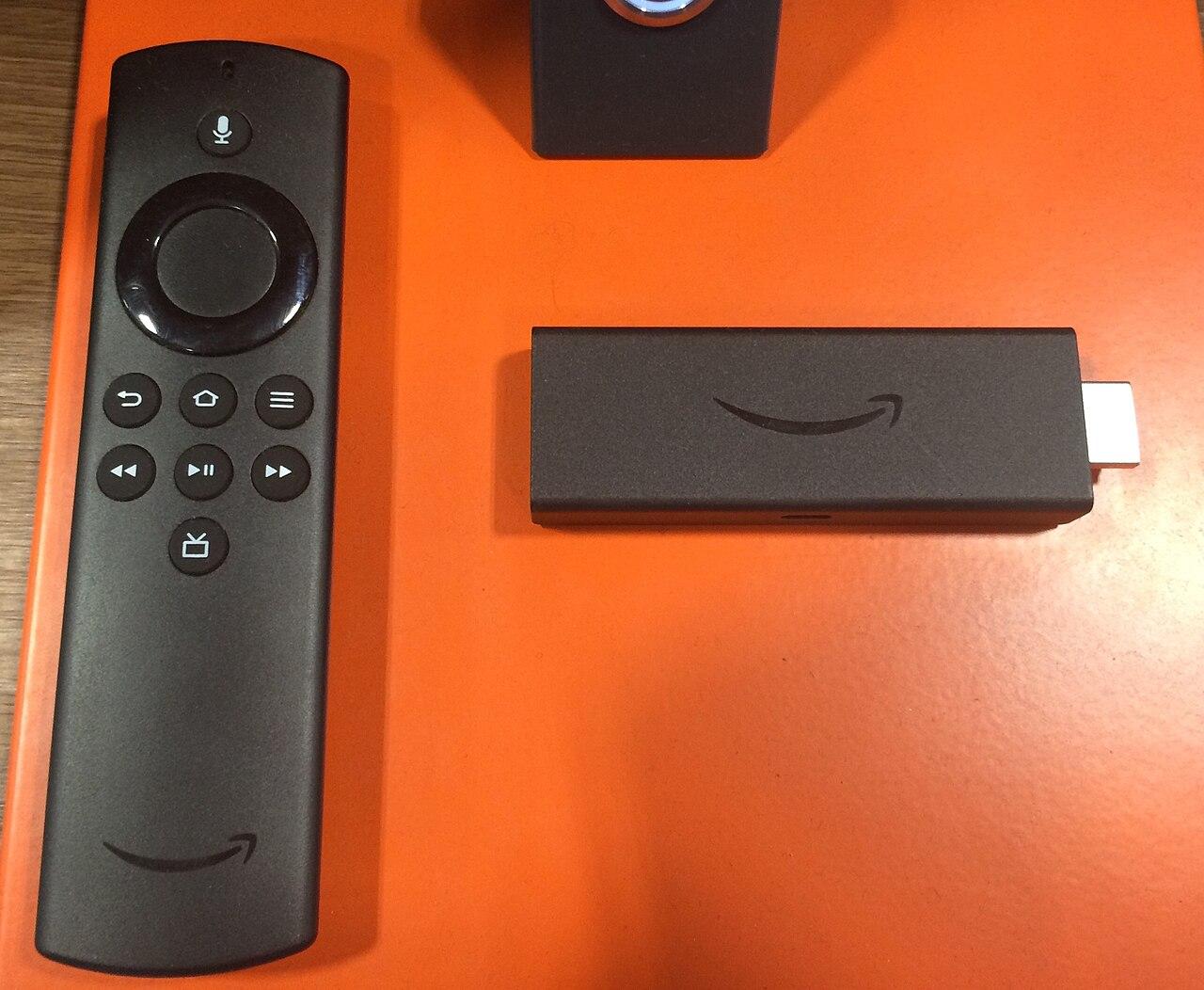
Device compatibility
You shouldn't need to change your entire home entertainment setup to explore an IPTV service. British IPTV supports several popular device categories, allowing you to choose a compatible screen for watching.
Xtream Codes
Already familiar with Xtream Codes? You can use this login method with a compatible IPTV player to configure your account.
Once you have the correct details, enter them into a compatible player that supports Xtream Codes API login and follow the application's setup process.
This option is useful for viewers who prefer configuring their IPTV player with account credentials rather than using a different supported connection method.
Please note that Xtream Codes is a login and connection method, not a television channel package or a streaming application itself.
Getting started
Getting started doesn't need to be complicated. Follow these steps to understand the process.
Review the available features, streaming options and supported devices to understand what the service offers.
Try the service and check its available features on your preferred compatible device.
Follow the installation instructions. If your IPTV player supports Xtream Codes, use the supplied account credentials to configure it.
Once you've evaluated the service, compare the available packages and select the subscription that meets your requirements.

Choosing a provider
With different IPTV services available, comparing providers carefully can help you avoid choosing a subscription based on price alone.
Before making a decision, consider these points:
A free trial gives you an opportunity to evaluate the service and check whether it works with your device.
Look for transparent package prices, subscription durations, renewal conditions and refund terms.
If you want 4K or 8K playback, check whether the provider offers content in those resolutions and whether your equipment supports them.
Make sure your preferred Firestick, Android TV, Smart TV or MAG device is supported.
Installation guidance should explain how to configure your device and enter your account information.
Check that the provider has the necessary rights to distribute the television programmes, films and other copyrighted material it offers.
Taking time to review these details can help you make a better-informed subscription decision.
FAQ
British IPTV is a way of delivering television programming over an internet connection. Rather than relying exclusively on traditional satellite or cable delivery, IPTV uses internet-based technology to stream supported content to compatible devices.
Yes, British IPTV offers a free trial. You can use it to explore the available service features, check device compatibility and evaluate the experience before selecting a paid subscription. Check the trial terms for availability and duration.
The service supports Amazon Firestick, Android TV, Smart TVs and MAG devices. You should check the relevant application and setup requirements for your particular device.
Yes, the service offers 4K and 8K streaming options. However, playback at these resolutions depends on content availability, compatible hardware, application support and internet connection quality.
Xtream Codes is a login method supported by certain IPTV players. It typically requires a username, password and server URL. You can enter these details into a compatible application to configure your account.
Yes, Amazon Firestick devices are supported. You can configure the service using a compatible IPTV player and the relevant setup instructions.
IPTV technology is legal in the UK. However, a provider must have the appropriate rights to distribute copyrighted television channels, films and other content. Always check that the service you choose is properly authorised.
The required speed depends on the streaming platform, video bitrate and number of devices using your connection. A stable broadband connection is important, particularly for higher-resolution streaming.
Compare subscription duration, supported devices, available streaming resolutions, connection limits and package terms. If a free trial is available, consider using it before selecting a longer subscription.
You may need a compatible IPTV player to configure and access the service on your device. Application availability and setup requirements depend on the device you use.
Yes, provided your Smart TV has access to an IPTV application that supports Xtream Codes login. Check application compatibility with your particular television model.
Review the package price, subscription period, supported devices, streaming options, trial conditions, refund policy and the provider's content distribution rights before purchasing.

Discover a flexible way to watch television through your internet connection. Explore 4K and 8K streaming options, check compatibility with your preferred device and try the service before choosing a subscription.
Take a look at the available packages and find an option that matches your viewing requirements.